Where you work with your AI Agent team
In XiuWork, you start work in a channel, let your agent team handle tasks, return results, and keep progress visible. When you need model calls or intelligence work, open the right app.
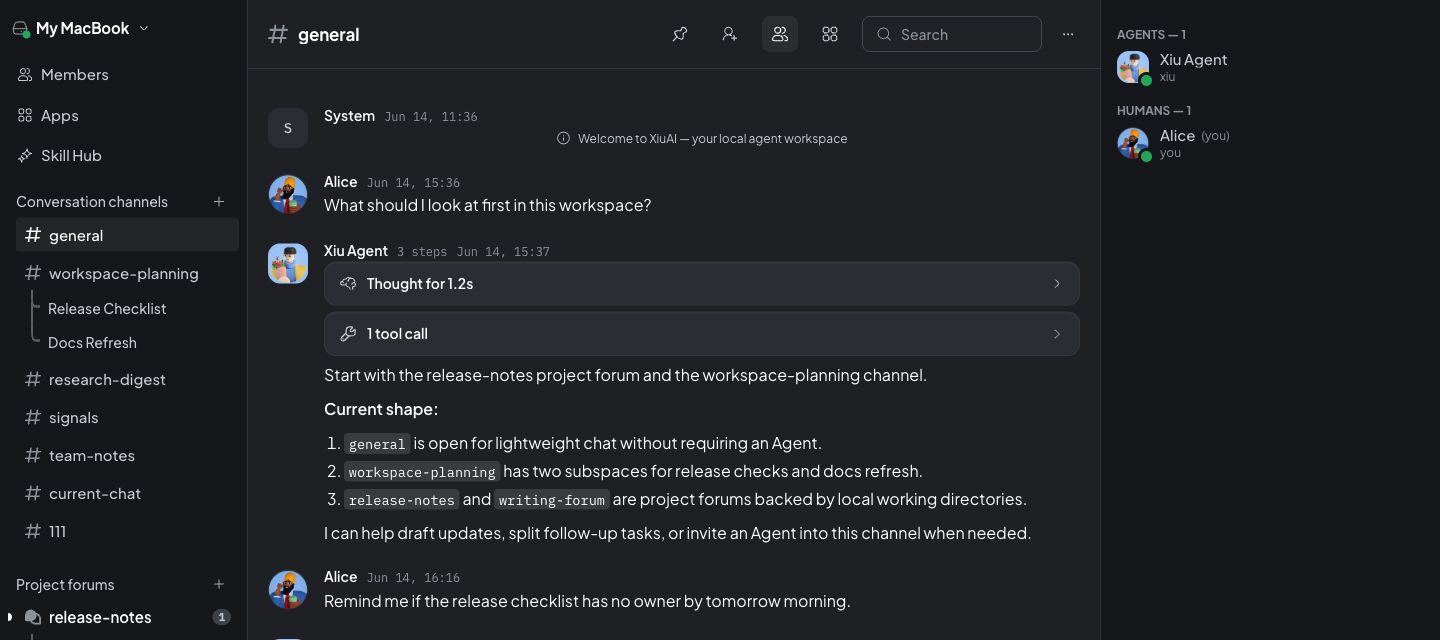
Stop hunting for context across chats, tasks, and tools
Discussion, task progress, and agent output stay in the same channel. When you review, ask follow-ups, or continue the work, the context is still there.
Channels
Open channels by project or topic, then keep background, materials, conclusions, and follow-up questions together.
Tasks
Turn a request from the channel into trackable work: who is handling it, where it stands, and what still needs confirmation.
AI Agent Team
Agents send process and results back to the channel. You can ask follow-ups, review the work, or hand the next step to XiuRouter or xiutalk.
Handle model calls and X research inside XiuWork
XiuRouter handles model calls, and xiutalk organizes X discussions. Open apps from the workbench and keep results in the current context.
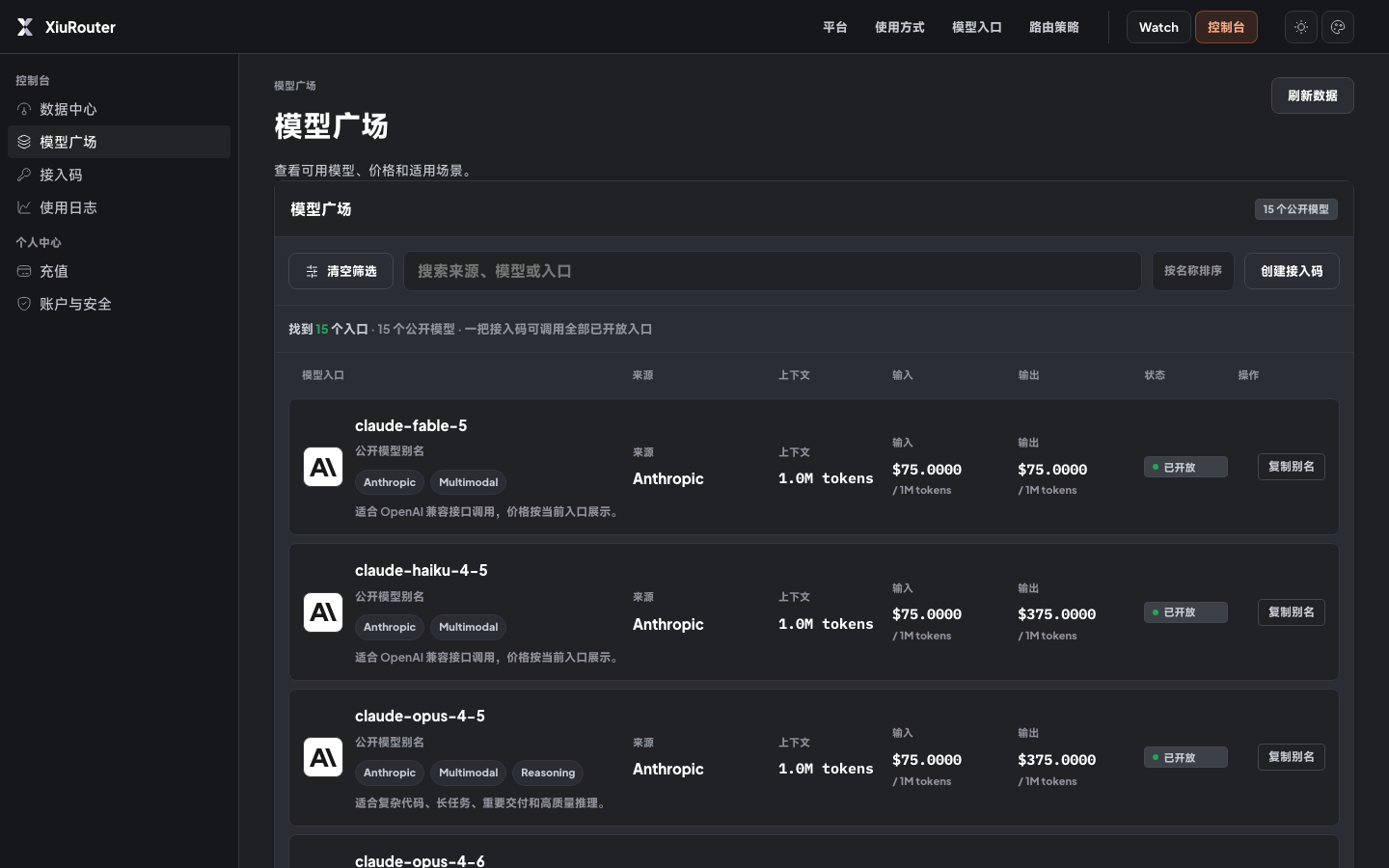
State the goal first, then bring in agents and apps
You do not need to decide which tool to open first. Describe the work in a channel, then let agents and apps handle the right parts.
State the goal
Write down what needs to be done in a channel, with context, people, materials, and what you already know.
Review progress
Agents send process, results, and questions that need your confirmation back into the message stream.
Open apps when needed
Use XiuRouter for model calls and xiutalk for X discussion research. Results stay in the work context.
Open XiuWork and start working with your agent team
The web version is available now. The Mac client will become the long-running desktop entry when public release is ready.
The public Mac installer is still being prepared. This repo does not yet record a signed, notarized, and published download endpoint, so the site shows release status instead of pretending a file is ready.